Start-up time
about30 ms
Timed to ready, after the first launch.
A local emulator of AWS, Google Cloud and Azure, for development and tests. One binary, one port, ready in about 30 ms on an Apple M5, with nothing to sign up for.
brew install nrndev/tap/pogiOn macOS. Linux, Go, Docker and Windows are below.
355 services: 145 with real behavior, 210 Thin (pogi stores the resources, but nothing runs behind them). See coverage
Set one endpoint and your SDKs find it. AWS, Google Cloud, Azure and the console all answer on 7644.
Everything stays on localhost.
eval "$(pogi env)" points your SDKs here. 7644 spells “pogi” on a phone keypad.
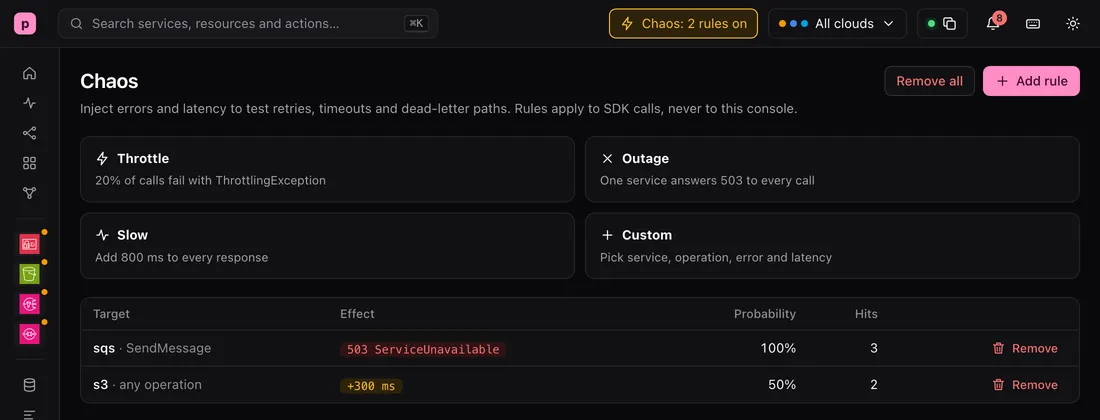
One command adds a rule, and the next call fails the way a real cloud fails.
It starts fast enough to throw away after every test.
about30 ms
Timed to ready, after the first launch.
about20,000
DynamoDB PutItem, 8 at a time.
about150 MB
About 75 MB at idle.
about0.1 ms
DynamoDB PutItem, one at a time.
*Apple M5 with 32 GB of memory, pogi v0.2.0 release build. How we measured →
Point them at pogi once, through environment variables. Your AWS code stays the same.
355 services: 144 AWS (90 with real behavior, 54 Thin), 108 Google Cloud (25 with real behavior, 83 Thin) and 103 Azure (30 with real behavior, 73 Thin). A Thin service keeps your resources, but nothing runs behind them. See coverage
Moving from LocalStack? Point at port 7644, or keep 4566 with pogi start --port 4566. Read the migration guide
Real engines under the API, and tools around them. Each one has its own page.
01
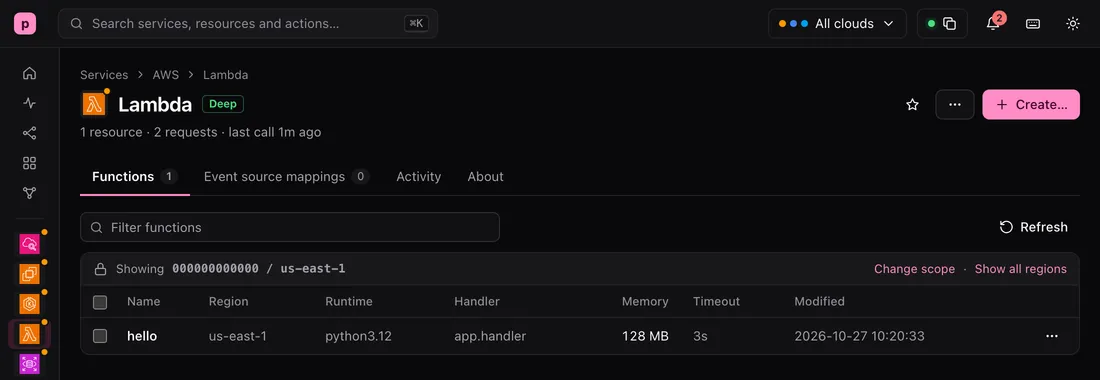
Lambda runs your code. RDS and Cloud SQL are real PostgreSQL and MySQL. EKS, GKE and AKS are real Kubernetes. ECS and Cloud Run run real containers. The databases, clusters and containers need Docker; the core services do not.
02
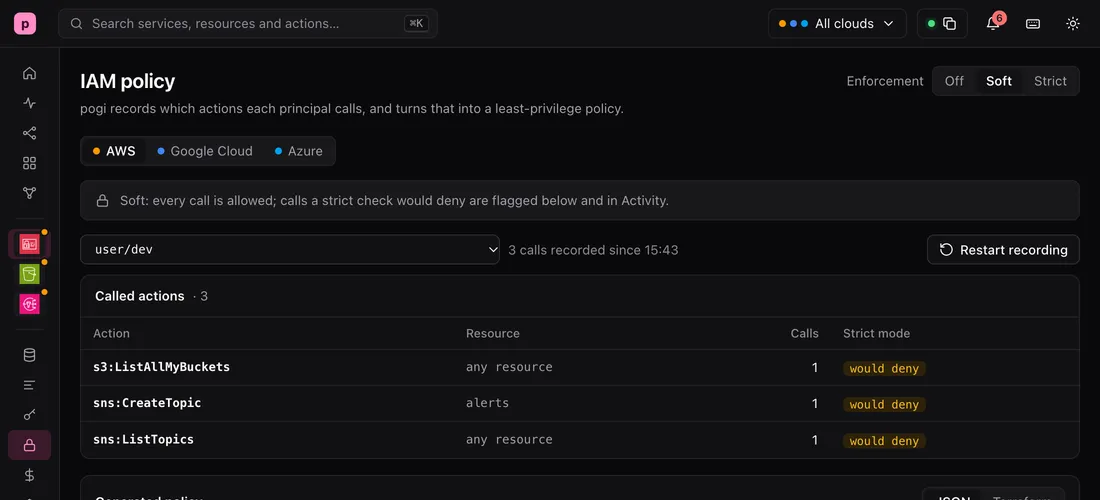
Least privilege means each identity may make only the calls it needs. Record mode watches your calls and writes that policy. Strict mode then blocks any call the policy does not allow.
03
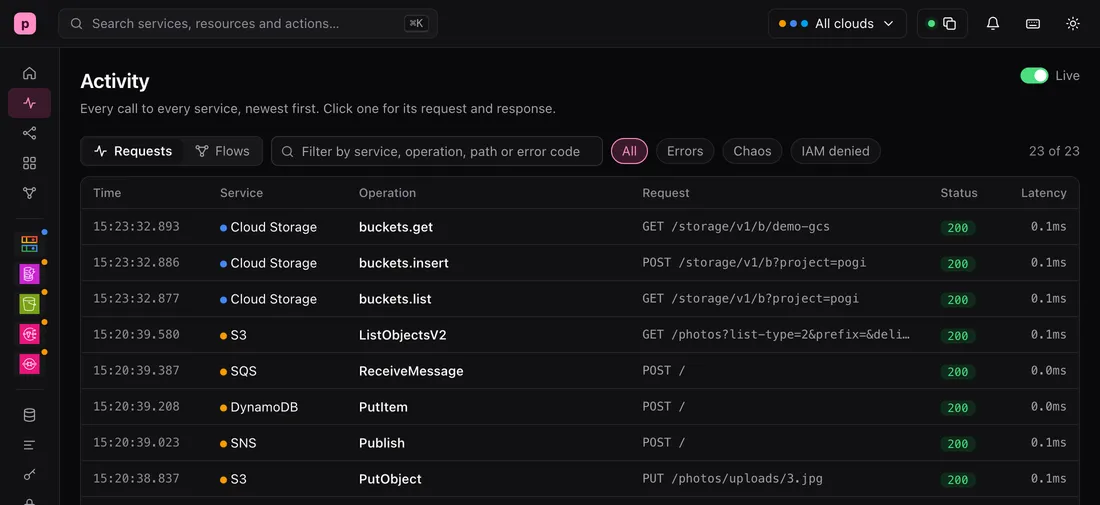
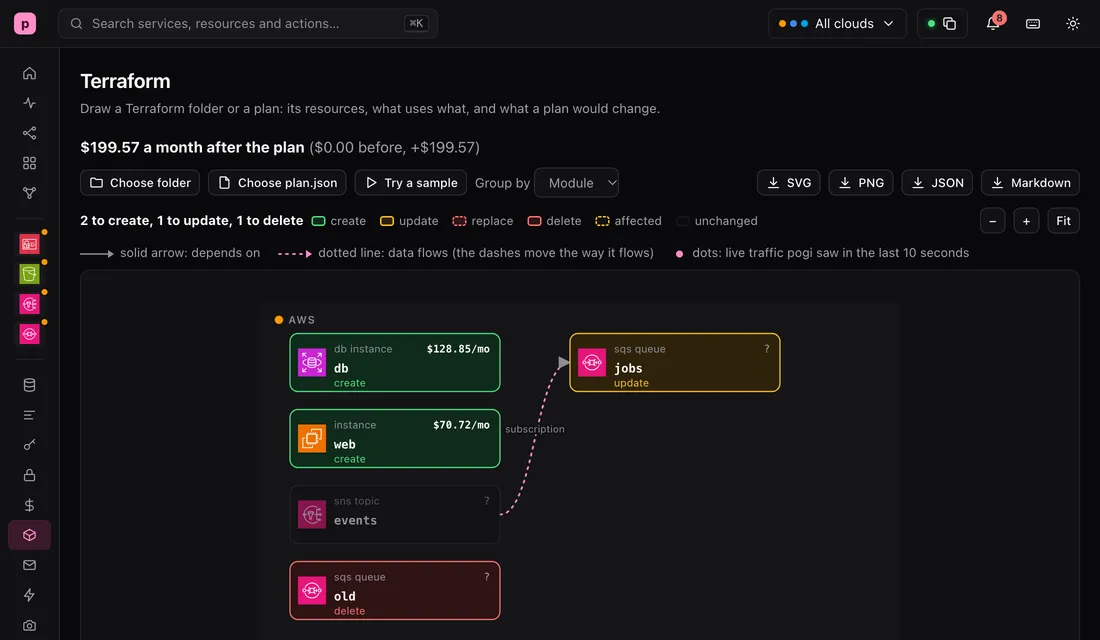
The console shows calls live, follows a request across services, and draws how your resources are wired.
06
pogi mcp is an MCP server (MCP is the protocol AI coding agents use to call tools), so an agent can look inside pogi and control it. pogi agents init adds a short brief about pogi to AGENTS.md.
Calls, flows (one request followed across services) and connections, live in your browser at localhost:7644/_pogi/.
The calls your code makes on AWS, Google Cloud and Azure, as they happen.
Activity
Calls to all services, newest first.
Each upload is traced end to end, from S3 through Pub/Sub to Azure Blob Storage. One took 6 steps in 19 ms.
Flows 1-6cf92f35-77b34da6a3ce929d0e0e4711
PutObject /photos/uploads/6cf92.jpg
2026-10-13 14:25:14 · 6 steps · 19 ms
Times are per step. The 19 ms runs from the first call to the last step, including the wait between deliveries.
The map draws each cloud's resources and the messages moving between them.
Activity
Calls to all services, newest first.
pogi records what your code calls, writes the smallest IAM (who may do what) policy that allows it, and attaches it. On AWS, Google Cloud and Azure.
Run your code as a real IAM user. pogi records the actions it calls and writes the matching policy.
uploader · 5 calls recorded, one identity on each cloud
Turn on strict mode (deny anything not allowed) and calls without a policy fail, with the same AccessDenied error AWS returns.
StrictCalls without an allowing policy fail.
An error occurred (AccessDenied) when calling the PutObject operation: User: arn:aws:iam::000000000000:user/uploader is not authorized to perform: s3:PutObject on resource: arn:aws:s3:::photos/cat.jpg because no identity-based policy allows the s3:PutObject action
Review the policy pogi wrote, then attach it in one step.
{
  "Version": "2012-10-17",
  "Statement": [
    { "Effect": "Allow", "Action": "dynamodb:PutItem",
      "Resource": "arn:aws:dynamodb:us-east-1:000000000000:table/orders" },
    { "Effect": "Allow", "Action": "s3:PutObject",
      "Resource": "arn:aws:s3:::photos/*" },
    { "Effect": "Allow", "Action": "sqs:SendMessage",
      "Resource": "arn:aws:sqs:us-east-1:000000000000:thumbnails" }
  ]
}
Attached to user/uploaderas the policy pogi-uploader
The same calls pass. Least privilege, without guessing.
uploader · 5 calls recorded, one identity on each cloud
before-tests
Save your resources once, then restore it with one command before each run.
Messages your code sends land in a local inbox, never a real phone.
$13.60
Estimated monthly cost
≈ $0.45 / day · on-demand · no free tier
AWS
$1.73
Google Cloud
$0.63
Azure
$11.24
A real-cloud cost estimate from your resources and traffic.
Learn more about the bill before you deployRead the code, report a bug, or send a fix.
The code is on GitHub.
Found a gap or a bug? Tell us on GitHub.
Use it, change it, ship it.
Binaries for macOS, Linux and Windows.
Nothing to sign up for. Pick your platform and paste.
By default pogi listens only on your own machine (127.0.0.1) and accepts any keys. It is for development and tests, not a shared server: never give it real cloud credentials.
brew install nrndev/tap/pogipogi startReady.
# In a second terminal.# sets the endpoint and test keyseval "$(pogi env)"aws s3 mb s3://my-bucketmake_bucket: my-bucket
# Debian and Ubuntu; on Arm use arm64. Fedora and RHEL: the .rpm with dnf.curl -LO https://github.com/nrndev/pogi/releases/download/v0.2.0/pogi_0.2.0_linux_amd64.debsudo apt install ./pogi_0.2.0_linux_amd64.deb
pogi startReady.
# In a second terminal.# sets the endpoint and test keyseval "$(pogi env)"aws s3 mb s3://my-bucketmake_bucket: my-bucket
go install github.com/nrndev/pogi/cmd/pogi@latestpogi startReady.
# In a second terminal.# sets the endpoint and test keyseval "$(pogi env)"aws s3 mb s3://my-bucketmake_bucket: my-bucket
docker run --rm -p 127.0.0.1:7644:7644 ghcr.io/nrndev/pogiReady.
# In a second terminal.# pogi accepts any keys; these are placeholdersexport AWS_ENDPOINT_URL=http://localhost:7644 AWS_ACCESS_KEY_ID=test AWS_SECRET_ACCESS_KEY=test AWS_REGION=us-east-1aws s3 mb s3://my-bucketmake_bucket: my-bucket
scoop bucket add nrndev https://github.com/nrndev/scoop-bucketscoop install nrndev/pogi
No Scoop? Download pogi_0.2.0_windows_amd64.zip from the releases page and unzip it.
pogi startReady.
# In a second terminal.pogi env --shell pwsh | Invoke-Expressionaws s3 mb s3://my-bucketmake_bucket: my-bucket
Binaries for macOS, Linux and Windows are on the releases page. pogi also has a CLI, a terminal UI and an MCP server, so AI coding assistants can drive it; see the docs.