Real engines, not mocks
Your function runs. Your database answers queries. Your cluster schedules pods. pogi starts the real engines, and tells you when it can't.
The problem
A mock that only stores resources can't run your function, answer a SQL query or start a pod. So a test can pass on your machine and still fail in the cloud.
How it works
01
Lambda runs your code
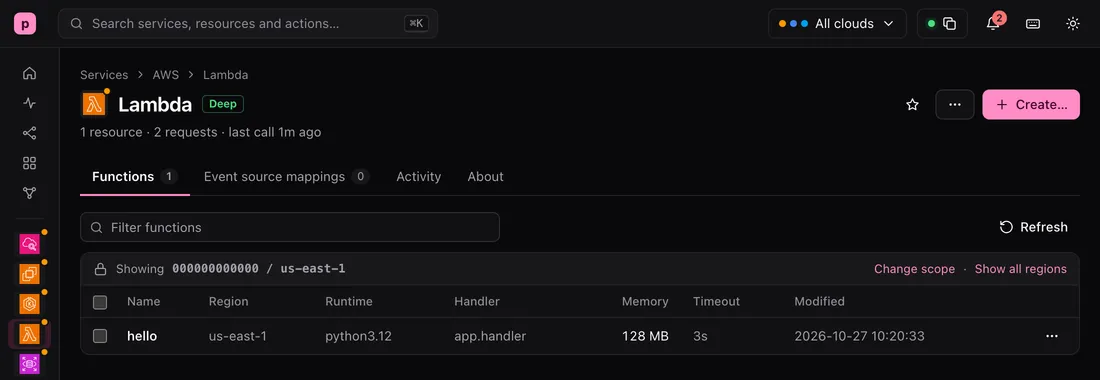
Create a function and call it. pogi runs Python and Node.js on your machine when they are installed, and in Docker when they are not. The answer comes back as it would from AWS.
localhost:7644/_pogi/localhost:7644/_pogi/Lambda
Functions
The Lambda page: a function named hello, runtime python3.12, handler app.handler, 128 MB. 02
Databases are real servers
RDS and Cloud SQL start a real PostgreSQL or MySQL server in a Docker container. Connect with any client, at the address pogi shows.
localhost:7644/_pogi/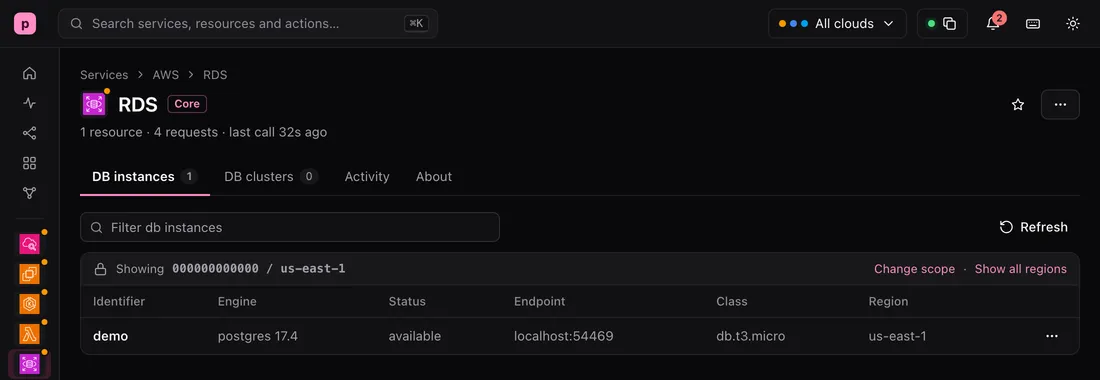 localhost:7644/_pogi/
RDS
DB instances
The RDS page: a DB instance named demo, engine postgres 17.4, status available, endpoint localhost:54469. 03
Clusters and containers are real too
EKS, GKE and AKS start a real Kubernetes cluster in Docker, and kubectl talks to it. ECS and Cloud Run run your container images.
localhost:7644/_pogi/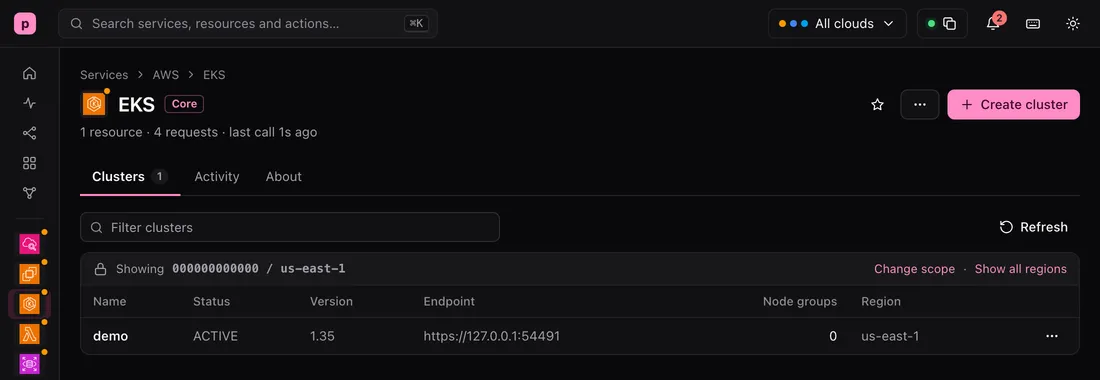 localhost:7644/_pogi/
EKS
Clusters
The EKS page: a cluster named demo, status ACTIVE, version 1.35. 04
No Docker? pogi says so
Without Docker, pogi still stores your databases, clusters and tasks, so your Terraform and SDK calls work. The console says that no database is running behind the instance.
localhost:7644/_pogi/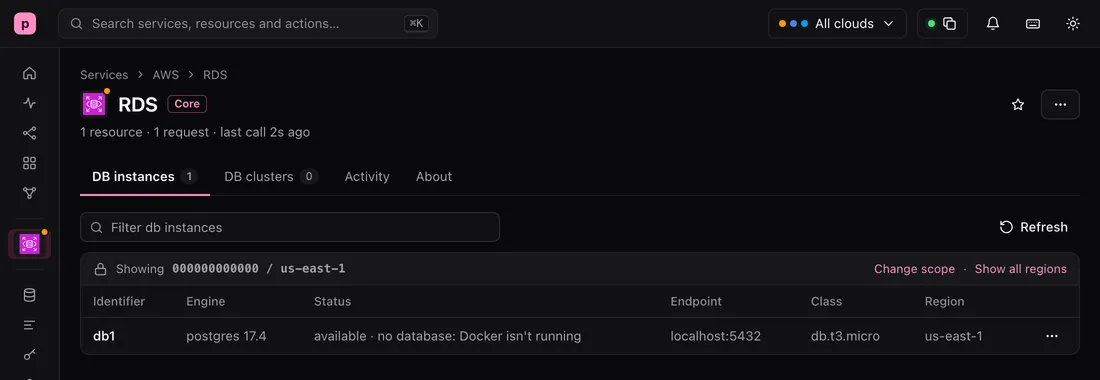 localhost:7644/_pogi/
RDS
DB instances
The RDS page with Docker off: the instance db1 shows the status available, no database: Docker isn't running.
Try it
This is real output from a running pogi.
Run a function
# app.py
def handler(event, context):
    return {"hello": event.get("name", "world")}

aws lambda create-function --function-name hello --runtime python3.12 \
  --handler app.handler --role arn:aws:iam::000000000000:role/lambda \
  --zip-file fileb://fn.zip --query '[FunctionName,State]' --output text
hello	Active

aws lambda invoke --function-name hello --payload '{"name":"pogi"}' \
  --cli-binary-format raw-in-base64-out out.json
{
    "StatusCode": 200,
    "ExecutedVersion": "$LATEST"
}
cat out.json
{"hello": "pogi"}
Start a PostgreSQL server
aws rds create-db-instance --db-instance-identifier demo --engine postgres \
  --db-instance-class db.t3.micro --allocated-storage 20 \
  --master-username pogi --master-user-password secret123 \
  --query DBInstance.DBInstanceStatus --output text
creating

aws rds wait db-instance-available --db-instance-identifier demo
aws rds describe-db-instances --db-instance-identifier demo \
  --query 'DBInstances[0].[DBInstanceStatus,Endpoint.Address,Endpoint.Port]' --output text
available	localhost	54469

docker exec -e PGPASSWORD=secret123 pogi-rds-demo \
  psql -U pogi -h 127.0.0.1 -d postgres -c 'select 1 as one'
 one
-----
   1
(1 row)
Start a Kubernetes cluster
aws eks create-cluster --name demo \
  --role-arn arn:aws:iam::000000000000:role/eks \
  --resources-vpc-config subnetIds=$S1,$S2 \
  --query cluster.status --output text
CREATING

aws eks wait cluster-active --name demo
aws eks update-kubeconfig --name demo --kubeconfig eks.kubeconfig
kubectl --kubeconfig eks.kubeconfig get nodes
NAME           STATUS   ROLES           AGE   VERSION
1938f714c510   Ready    control-plane   28s   v1.35.5+k3s1
What to know
- Docker is optional. Without it, RDS, ECS, EKS, ElastiCache and the like still create and describe, as metadata. Lambda runs Python and Node.js natively when they are installed.
- RDS and ElastiCache: snapshot restore, read replicas, and engine parameters are not supported.
- A node group (EKS), node pool (GKE) or agent pool (AKS) is stored but adds no nodes. Each cluster has one node, and it runs one Kubernetes version, whatever version you ask for.
- ECS: CPU shares, task sets, ECS Exec, and EFS and FSx volumes are not supported.
Learn it step by step
The guides are in the docs.