Save and load snapshots
Save pogi's state under a name, load it back, share it as a file, and keep state across restarts.
A snapshot is a named copy of the state of every service. Save one when your setup is right, such as a seeded database and a few queues. Load it after a test has changed things, or hand the file to a teammate.
Save, list, load and delete
-
Save everything under the name
demo:pogi snapshot save demoOutput saved demoWith no name,
saveuses the date and time as the name. -
List the snapshots:
pogi snapshot lsOutput NAME SIZE SAVED demo 15606 2026-10-13 21:05:46lsis the default, sopogi snapshotalone lists snapshots too. -
Load the snapshot when a test has changed things:
pogi snapshot load demoOutput loaded demoloadreplaces the current state of every service. Anything created after the save is gone. -
Delete the snapshot when you no longer need it. It prints nothing:
pogi snapshot rm demo
Snapshots are stored in the snapshots folder of pogi's data folder. The data folder is ~/.pogi unless you set --data-dir.
Share a snapshot
-
Export a snapshot to a file. Without a file name, it goes to standard output:
pogi snapshot export demo demo.snap -
On the other machine, import the file. The name defaults to the file name without its extension. Give a name to choose your own:
pogi snapshot import demo.snap team-seedOutput imported team-seed (load it with: pogi snapshot load team-seed) -
Load it when you want it. Importing only stores the snapshot:
pogi snapshot load team-seed
Reset
pogi reset deletes state without saving it. Save a snapshot first if you may want the state back.
-
Save a snapshot, if you want one:
pogi snapshot save before-reset -
Reset. Name services to reset only those:
pogi reset s3 sqsOutput reset s3, sqs
Use the console
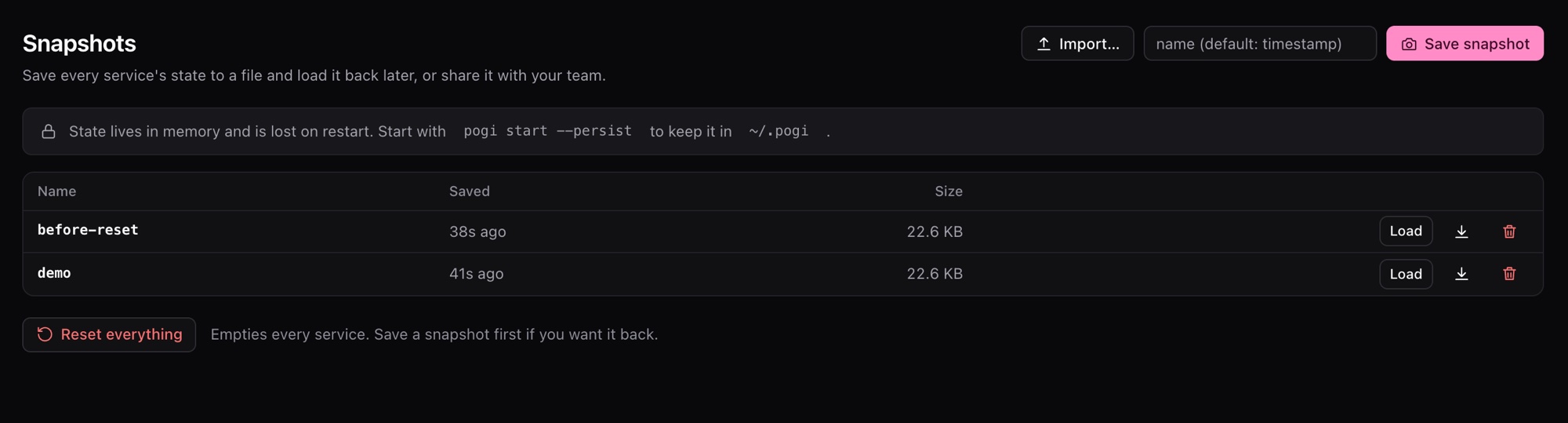
The Snapshots page lists snapshots and has Save, Load, Download, Delete and Import buttons, and a Reset everything button. Home also has a Save snapshot button.
Keep state across restarts
State lives in memory by default, so stopping pogi clears it. To keep it, pick a mode with --storage, or storage: in pogi.yaml (you can set it per service). --persist is short for hybrid.
| Mode | On disk |
|---|---|
memory | Nothing. This is the default. |
hybrid | Every service's state, written every few seconds and when pogi exits. |
persistent | Written before each write request is answered. |
wal | DynamoDB, SQS and S3 append each change to a journal. Other services work as in persistent. |
Start pogi with the mode you picked:
pogi start --storage persistentpersistent and wal survive a kill -9 without losing a write that pogi already acknowledged. State files are in the state folder of the data folder, one file per service.
Use it from a script
The same actions are in the REST API under /_pogi/.